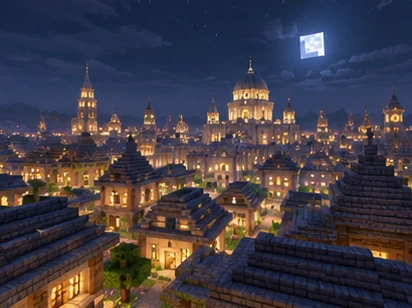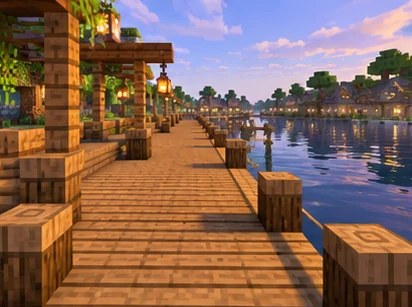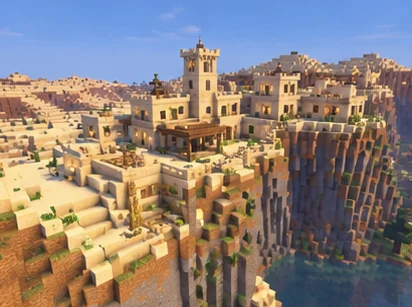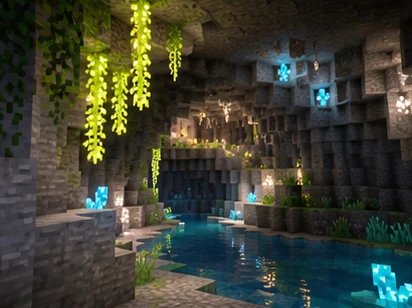
Replay Mod camera paths are the feature that turns a raw recording into a cinematic shot. Instead of filming live with a shaky first-person view, you place keyframes inside a recorded world and let the mod move the camera smoothly between them. Small adjustments to those keyframes make a large difference to the final video.
How Keyframes Shape a Path
A path is a series of keyframes on a timeline. Position keyframes store camera location and rotation, while time keyframes store which moment of the recording is shown. The mod calculates every frame between keyframes during preview and rendering.
| Keyframe type | Stores | Typical use |
|---|---|---|
| Position | Camera location and view angle | Moving shots, orbits, flyovers |
| Time | Moment of the recording | Slow motion, timelapse, freeze effects |
| Spectator | Following a recorded player | Player-focused action shots |
Interpolation and Smoothness
Interpolation decides how the camera travels between keyframes. Smooth curve interpolation creates flowing motion through several points, while linear interpolation moves in straight segments with sharper direction changes. The available options are found in the mod's settings.
Smooth interpolation can overshoot when keyframes are spaced unevenly. Keeping similar distances and timing between points gives the most natural motion.
Previewing before rendering
Path preview shows the planned route inside the replay. Watch the full path at normal speed and fix any sudden jumps before starting a render.
Controlling Time Inside a Shot
Time keyframes unlock some of the most striking effects. Placing two time keyframes far apart in the recording but close together on the path timeline produces a timelapse. Placing them close in the recording but far apart on the path creates slow motion.
- Timelapse works well for build showcases and day cycles.
- Slow motion suits combat, parkour and explosions.
- Matching time keyframes can hold a single moment while the camera moves.
Planning Cinematic Shots
Good shots start with a plan rather than with keyframes. Decide what the viewer should notice, where the shot begins and where it ends. A short list of planned shots keeps a project focused.
- Orbit shots circle a build to reveal its shape.
- Flyovers glide across terrain toward a landmark.
- Reveal shots start close and pull back to show scale.
- Follow shots track a player through action.
Common Path Problems and Fixes
Most rough paths come from a few predictable causes. Checking them in order usually fixes the shot without starting over.
| Problem | Likely cause | Fix |
|---|---|---|
| Sudden speed changes | Uneven keyframe spacing | Space keyframes more evenly |
| Camera clips through blocks | Curve overshoot | Add a keyframe near the obstacle |
| Jerky rotation | Large angle change between points | Add intermediate keyframes |
| Wrong action timing | Missing time keyframes | Add time keyframes to anchor events |
Rendering Camera Paths
Rendering follows the path frame by frame, which keeps motion smooth regardless of how the game ran live. FFmpeg must be installed before you render. Testing a short section of a complex path saves time if adjustments are still needed.
Higher frame rates and resolutions make motion look smoother but increase render time. Choose settings that match where the video will be published.
Camera Speed and Pacing
Viewers notice camera speed before anything else. Slow, steady movement feels cinematic, while fast moves suit action scenes and transitions. The distance between keyframes and the time between them together set the speed.
Consistent pacing across a video helps it feel planned. Reusing similar speeds for similar shot types gives the whole project a unified style.
- Use longer durations for wide establishing shots.
- Shorten durations for quick transitions.
- Avoid sudden speed changes unless they serve the scene.
Framing and Composition
Good framing guides the viewer's eye. Placing the subject slightly off center often looks more natural than dead-center framing, and leaving space in the direction of movement makes motion feel balanced.
Height matters as well. Low angles make builds feel large and imposing, while high angles reveal layouts and terrain clearly.
Building a Shot List
Larger projects benefit from a written shot list. Listing each planned camera path with a short description keeps editing organized and ensures nothing important is missed.
| Shot | Purpose | Suggested path |
|---|---|---|
| Opening reveal | Introduce the location | Slow pull-back from a detail |
| Build orbit | Show the full structure | Circular path at constant height |
| Action follow | Track gameplay moments | Spectator keyframes on a player |
| Closing flyover | End the video smoothly | Rising path away from the scene |
Reusing Techniques Across Projects
Paths that work well are worth remembering. Noting keyframe spacing, durations and interpolation choices for successful shots builds a personal library of techniques you can apply quickly in later videos.
Experimenting with one variable at a time also speeds up learning. Changing only the duration or only the spacing between keyframes shows clearly how each choice affects the final motion.
Combining Camera Paths in Editing
Many creators render several short paths rather than one long sequence. Separate clips are easier to adjust, re-render and arrange in a video editor, and a mistake in one shot does not require rendering everything again.
Matching output settings across clips keeps the final edit consistent. Using the same resolution, frame rate and format for every render prevents quality jumps between shots.
- Render each planned shot as its own clip.
- Keep identical output settings across clips.
- Name files after the shot list for easy editing.
Frequently Asked Questions
There is no fixed number. Use enough to define the motion clearly, and add more only where the path needs precise control.
Yes. Time keyframes control which moments of the recording are shown, so spacing them across a long period creates a timelapse.
Smooth curves can bend past obstacles. Adding a keyframe close to the obstacle usually keeps the path clear.
Conclusion
Replay Mod camera paths reward careful keyframe placement, even spacing and frequent previews. Combine position and time keyframes, choose interpolation that suits the shot and render short tests along the way.
With practice, the same tools produce orbit shots, timelapses and slow-motion action that look polished in any video.