Session Recording
Capture singleplayer worlds and server sessions while you play, with separate recording options for each in the mod settings.
Replay Mod records your Minecraft: Java Edition sessions so you can relive them from any angle, design keyframed camera paths and render polished videos straight from the game.
Replay Mod is a Minecraft mod for recording gameplay and turning it into cinematic footage, entirely inside the game.
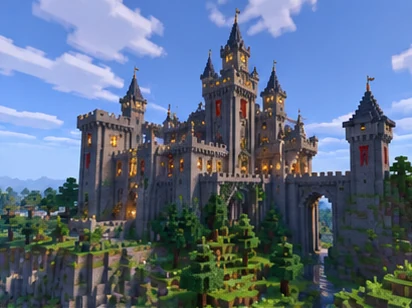
Replay Mod captures your Minecraft: Java Edition sessions as replay files instead of video. Because the world itself is recorded, you can reopen a session later, fly through it with a free camera and view every moment from positions you never stood in while playing.
The mod was created by CrushedPixel and johni0702 and is published as open source under the GPL-3.0 license. Modern versions run on Fabric Loader, while legacy builds for Minecraft 1.12.2 and older use Minecraft Forge. Video export runs through FFmpeg, which handles the encoding of each rendered frame.
Every tool you need to capture a session, review it from any angle and export it as a finished video.
Capture singleplayer worlds and server sessions while you play, with separate recording options for each in the mod settings.
Load any saved replay and fly through the recorded world as a free camera, scrubbing the timeline and changing playback speed.
Place position and time keyframes to build smooth camera moves, orbits, flyovers and time effects inside a replay.
Render camera paths frame by frame into video files using FFmpeg, with presets for resolution, quality and output type.
Export panoramic and stereoscopic renders for platforms and headsets that support immersive video formats.
Flag key moments in long sessions so highlights are easy to find again when you plan shots later.
Each project follows the same four-stage loop, from the first recording to the rendered video file.
Enable recording and play normally. The session is saved as a replay when you leave the world.
Choose Replay Viewer on the main menu, load a replay and explore it with a free camera.
Mark camera positions and moments on the timeline to shape the path of every shot.
Pick output settings and render the path into a video file through FFmpeg.
Loader support depends on your Minecraft version. Always confirm the loader and game version shown on the exact file you install.
| Loader / component | Minecraft versions | Status | Notes |
|---|---|---|---|
| Fabric Loader | 1.14 and newer | Official | Documented loader for modern versions |
| Minecraft Forge | 1.12.2 and older | Official legacy | Builds for classic versions and modpacks |
| NeoForge & modern Forge | Varies by port | Community ports | Unofficial projects such as ReForgedPlay |
| FFmpeg | All versions | Required to render | Windows, macOS and Linux installs |
| Minecraft: Java Edition | Per build | Java only | Mod files target one game version each |
Replay Mod is a Java Edition mod; Bedrock Edition does not support Java mods.
From server trailers to match review, recorded sessions open up creative and practical uses.
Produce smooth cinematic trailers for servers, adventure maps and minigames without filming live.
Orbit and fly across large builds, or use time keyframes to present a construction timelapse.
Revisit fights and minigame rounds from any angle to study positioning and decisions.
Record a demonstration once and capture it from the clearest angles afterwards.
Turn community events and group sessions into highlight videos for everyone who took part.
Render panoramic footage of worlds and builds for viewers who watch in 360-degree players.
Recording the world rather than the screen changes how you plan, film and finish Minecraft videos.
Play the moment once, then direct it as many times as you like.
Recorded sessions stay editable, so every shot can be reframed, retimed and re-rendered without playing again.Play freely during the session and decide on angles, framing and movement afterwards in the Replay Viewer.
Rendering runs frame by frame after play, so smooth output does not depend on how the game ran live.
Replay files can be passed to collaborators who also use the mod, letting an editor pick shots from your session.
The GPL-3.0 license keeps the mod free to use and lets anyone read the source code on GitHub.
A clean setup takes a few minutes: a loader, the matching mod file and FFmpeg for rendering.
Use Fabric Loader for Minecraft 1.14 and newer, or Minecraft Forge for 1.12.2 and older, then launch the profile once.
Pick the Replay Mod build for your exact Minecraft version and loader from a trusted source.
Move the .jar into the mods folder of your game directory or launcher instance.
Extract FFmpeg inside .minecraft on Windows, or install it with Homebrew on macOS or your package manager on Linux.
Start the loader profile and look for the Replay Viewer button on the main menu.
Get the Replay Mod source archive from the project's GitHub repository, then pair it with the build that matches your setup.
This button downloads the stable-branch ZIP of the ReplayMod repository on GitHub. It contains the project's source code for reading, auditing or building the mod.
Download Replay ModTo play right away, place a compiled .jar that matches your Minecraft version and loader into your mods folder.
A few habits keep your game, worlds and recordings protected whenever you add or update mods.
Download from the official website, GitHub, Modrinth or listings that credit the original developers.
Confirm the Minecraft version and loader in the file name before installing.
Copy important worlds, mods and replay_recordings folders before adding or updating mods.
Update the mod and FFmpeg when you move to a new Minecraft release.
A balanced look at where the mod shines and what to plan for before your first project.
New builds follow Minecraft releases, so the right file always depends on the game version you play.
Replay Mod releases are published per Minecraft version, and file names typically include both the mod version and the game version. When Minecraft updates, a new build is needed before the mod can load on that release.
Version numbers and release dates change often, so this page does not list them. The project's own channels below always show the current files, release notes and source history.
Most issues come from FFmpeg placement, the wrong profile or conflicting visual mods.
This message appears when the mod cannot locate FFmpeg at render time. Recording and replaying still work; only video export is affected.
Render crashes are often linked to memory limits, very high output settings or conflicting visual mods.
A missing Replay Viewer button means the mod did not load in the current profile.
Mods that change rendering or networking can affect replays. The official documentation includes a dedicated section about compatibility with other mods and shaders.
In-depth articles on installation, rendering, loaders and camera work.
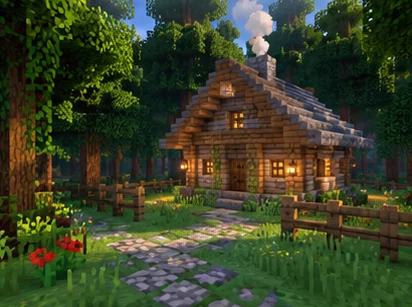
Record a session, open the Replay Viewer, place keyframes and render your first video.
Read guide
Install FFmpeg on Windows, macOS or Linux and fix the most common rendering detection issue.
Read guide
Match your Minecraft version and loader, pick a trusted source and avoid the most common file mix-ups.
Read guideAnswers to the questions players ask most about downloading, installing and using Replay Mod.
Replay Mod is a client-side Minecraft: Java Edition mod that records your gameplay sessions so you can replay them, move a free camera through the recorded world and render videos with keyframed camera paths.
Yes. The project is open source and published under the GPL-3.0 license, so the mod is available without charge.
The official documentation lists Fabric for Minecraft 1.14 and above and Minecraft Forge for Minecraft 1.12.2 and below.
The original project does not list NeoForge. NeoForge players use unofficial community ports such as ReForgedPlay, which are maintained separately.
The main button links to the stable-branch source archive of the ReplayMod repository on GitHub. It contains source code; a compiled .jar for your game version is what goes into the mods folder.
Place the .jar that matches your Minecraft version and loader into the mods folder of your game directory or launcher instance.
No. The documentation describes the mod as entirely client side, so it is installed only in your own game.
CurseForge lists Replay Mod pages and community ports. Check that a listing credits the original developers and supports your loader before installing.
The source code is public in the ReplayMod/ReplayMod repository on GitHub, which also hosts the issue tracker.
Start the game with the correct loader profile. A Replay Viewer button on the main menu confirms that the mod loaded.
When recording is enabled in the settings, the mod captures your session while you play and saves a replay file when you leave the world.
Replays are stored in the replay_recordings folder inside your Minecraft directory, and the Replay Viewer lists them for loading.
FFmpeg encodes the frames Replay Mod renders into video files. Recording and replaying work without it, but rendering requires it.
The documentation notes that ffmpeg.exe can be anywhere inside the .minecraft folder. Alternative launchers need it inside the matching instance folder.
The documentation recommends Homebrew. Running brew install ffmpeg in Terminal installs it system-wide.
Keyframes are points on the replay timeline. Position keyframes store camera location and angle, and time keyframes store which moment of the recording is shown.
Yes. Time keyframes control the flow of the recording, so spacing them differently creates timelapse or slow-motion effects.
The render settings include 360-degree and stereoscopic output options alongside standard video, depending on the version you use.
Rendering processes every frame in the game and then encodes it. Resolution, quality settings, installed mods and hardware all affect speed.
Replay Mod runs on your client, so it can record many servers. Some servers restrict features, so follow each server's rules.